Windows起動が遅い原因|スタートアップ設定の見直し方

パソコン実務・効率化

原因

起動時に余計なアプリが動いている可能性が高いです。


設定手順

STEP1:タスクマネージャーを開く

Ctrl + Shift + Esc
https://learn-attachment.microsoft.com/api/attachments/61a02aa5-8a2a-4b0e-8511-7c51cc576f7e?platform=QnA
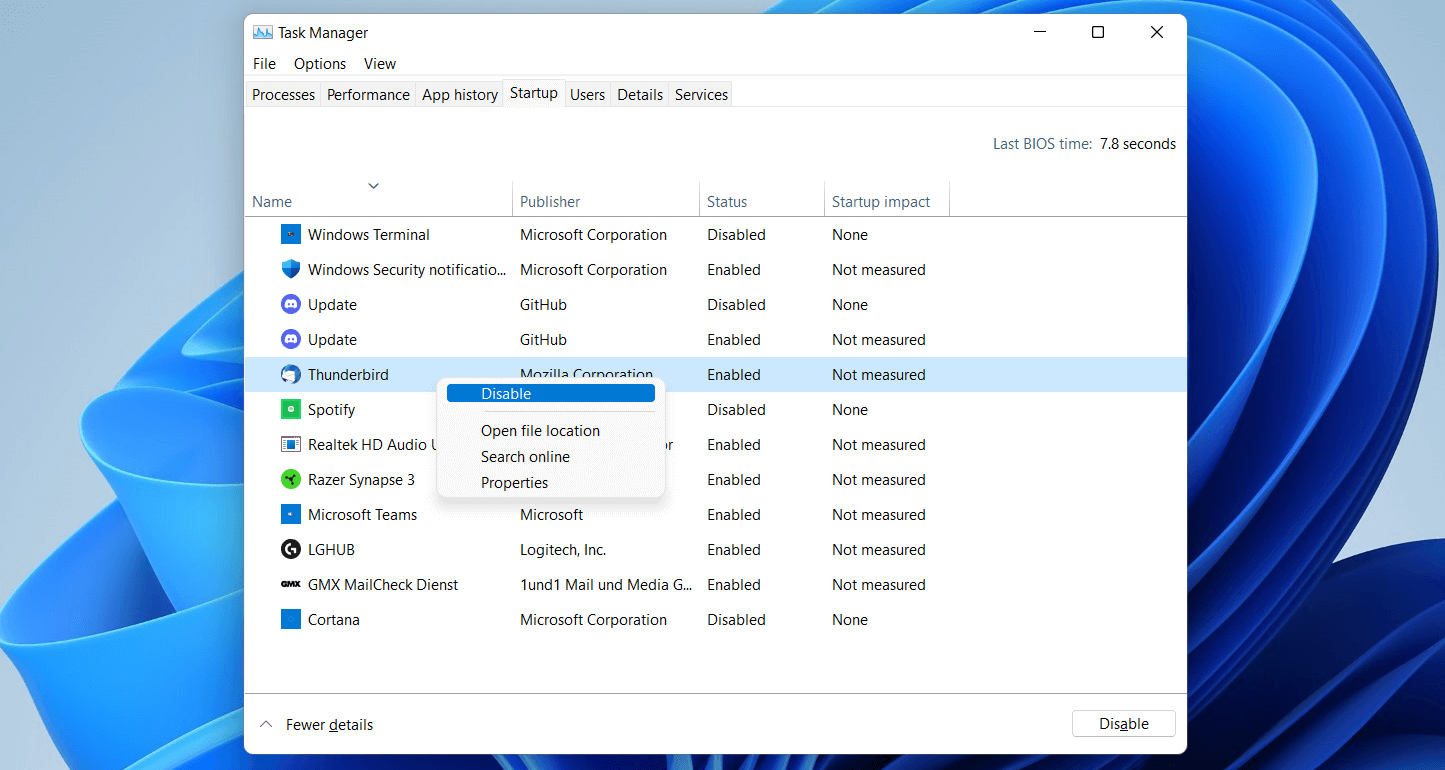
https://www.ionos.com/digitalguide/fileadmin/DigitalGuide/Screenshots_2021/windows-11-startup-configuration-task-manager.png
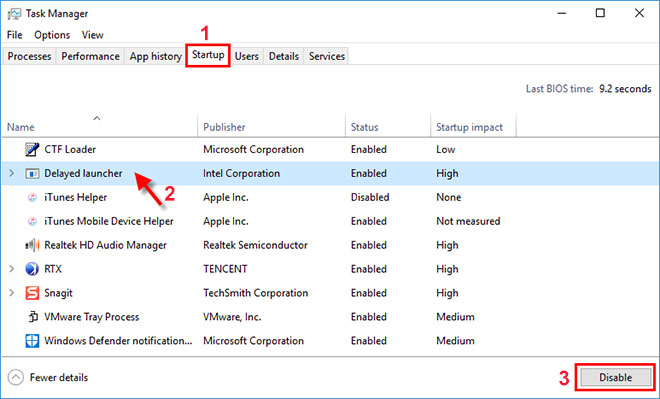
https://www.isumsoft.com/images/windows-tips/disable-startup-programs-in-windows-10-7/click-disable.jpg

STEP2:不要なアプリを無効化

  • 使用していないアプリ
  • 影響「高」のものを優先

右クリック → 無効化


まとめ

スタートアップ整理だけで体感速度はかなり変わります。
コメント

タイトルとURLをコピーしました